Showing posts with label Idea Day. Show all posts

20 May 2008

Using Templates

What exactly is a template? In the scrapbooking world they look a little something like the image that you see to the left. A black, white and grey Drawing or Sketch that gives you an idea of where to place pictures and elements. The great thing about these is that you can make them more of your own instead of using a Quick Page that is already done for you. Another great thing is that you don't have to follow the design to a 't'. Usually you can download templates in a .psd format and most of layers are there and ready for you.

{Quick photoshop tip: Try placing a photo or paper above one of the layers and type contol+alt+G and see what happens. This will be especially helpful when trying to put pictures into text. Don't believe me? Check back later this week and see for yourself}
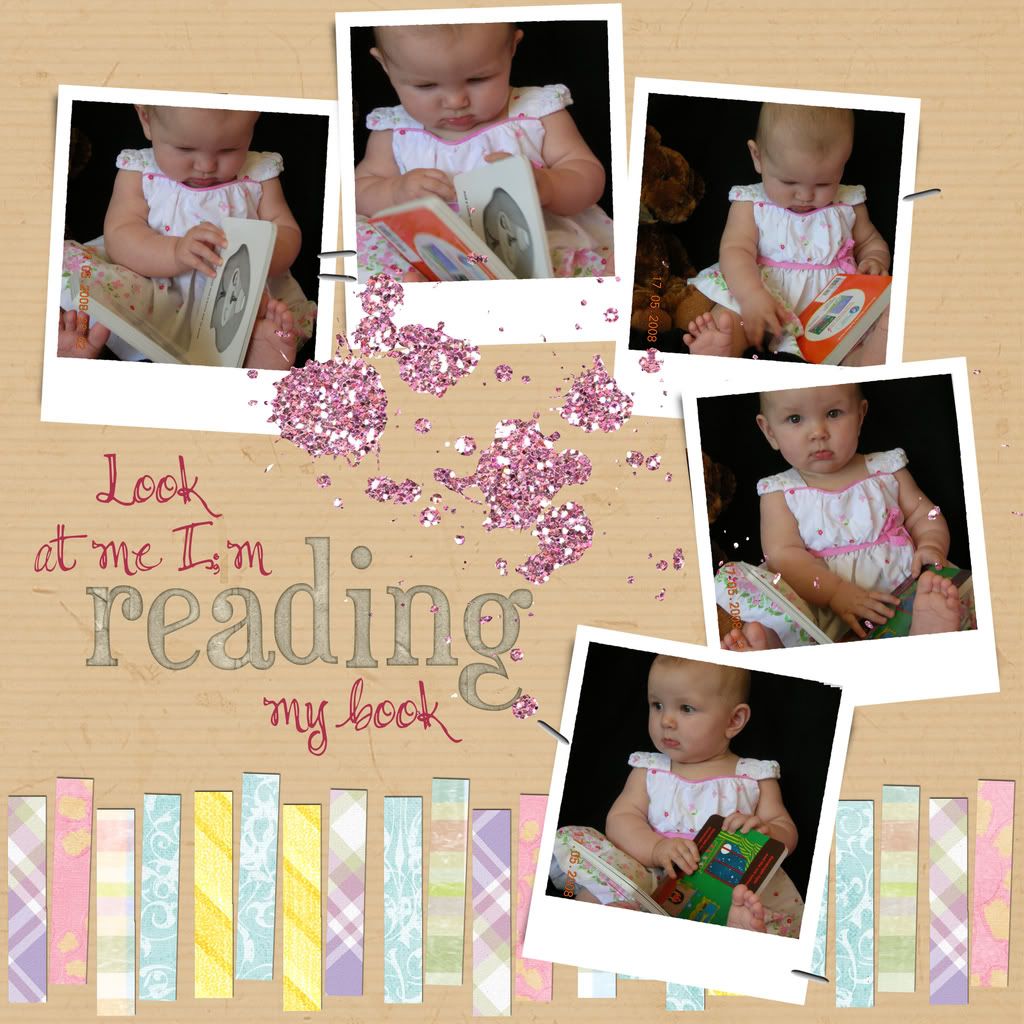
Here is the layout that I made using this template. As you can see I didn't make any changes to the layout at all. I even used the frames that were provided.

I really liked how this layout was able to tell a story with the placement of photos and the strips at the bottom followed the theme because they could be thought of as a row of books.

Like this template? Head on over to Raketty Scrappety to grab it. While you're there check out the other templates they provide. They've got a pretty nice collection. You can also get some great templates from Simply Sarah Designs. She's got a nice collection also.

Hope you have fun messing with templates!

Have a great day!

18 May 2008

What is a QP?

In this day and age everyone has learned to take shortcuts in every way possible. When it comes to scrapbooking, one way is called Quick Pages or QP's as they are so often refered to. Basically, a designer will use one of there new kits to make a page that all you have to do is plop in some pictures, add some text and the page is done. A lot of the time they do this to promote new kits they've made, sometimes they'll freebie out an add-on or mini kit that way they can tempt you to buy the whole thing.

On today's "Idea Day" i'll be featuring 2 QP's that I really liked, i'll attemt at telling you why I liked them, and show you how easy it is to get to the finished product.

To start with, here's the link to Ellie Lash Designs for the first QP HERE

I just loved how simple this LO was (LO meaning Layout). Reminded me of a Hawiian vacation or something. But, since i've never been there, i couldn't use this LO for that. However, this now outfit of Baby Madison seemed right for the space.

To get to this finished product with your own photos:

1. Open Photoshop
2. Open QP
3 Open Photo
4 Drag photo to QP
5. In the layers Pallet, make sure your photo is below the QP.
6. Arrange photo in the correct place to show through the frame
7. type some text
8. save and you're done.

Okay, okay, so i'm not very good at giving directions. But, i think you get the point on how easy this is to do, and how much it really shortcuts making an LO. I usually spend at least an hour on each page that I make from scratch. This QP took me about 10 minutes with most of that time being spent on finding the right picture to use.

The second QP for today was made by Ameliescrap, her delightful kit and other QP's were found at Digitalscrapdepot.com, however it seems she's moved her blog and the QP link I had is no longer available.


Well, everyone, i hope you enjoyed learning a little bit about Quickpages. Here is a QP from Amelie since the other one wasn't available. Click Here to check it out.

Scraplifting

In other words. It's a nice way of telling someone you are going to copy their work. Sometimes you just use a few of their ideas, "omg i just LOVE how you did" this or that... Other times it's a complete copy right down to the buttons. It's like using a quick page that hasn't already been made for you. I admit, i've done this, in fact, i just did it yesterday. Here it is:


And the original:


As you can see, aside from not using the same kit, it looks almost exactly the same. Another one I made yesturday had the same idea, but it's not so close to the exact same thing:


And the original: 


WIth this one, it's the same idea with the single photo and flowers, but a lot different. 

Well, that concludes today's digi-scrap Idea of the day. 

Credits:
1. Scraplift of "Cherished" by cdanielshafer HERE
papers - A. Carlson, E. Lash, HappyScrapGirl, Summer Driggs
ribbon - from kit (too soon), from kit (snowfun)
tags - E. Lash, from kit (rose manor)
flower - scarling @ shabbyprincess
heart - E. Lash
Button - from kit (snowfolk)
Brad - Shabby princess amore sampler 

2. scraplift of "Be You" by susan with Little Dreamer Designs HERE
SummerDriggs - doodle flowers, green paper
Ellie Lash - pink paper
D Fenning - ribbon
RAK designer Biebel - frame
limabean designs - green flower
tangie - pink flower